|
|
||
|
|
||
|
|
||
|
|
||
|
Click on the picture for a full page view |
Click on the picture for a full page view |
|













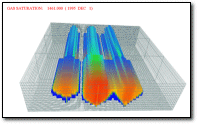
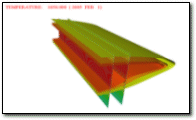
|
. The EXOTHERM brochure in pdf.
file format (will require
|
. V9 Now Available
Designed for use with the Microsoft Windows 7,8, 10 operating systems |

|
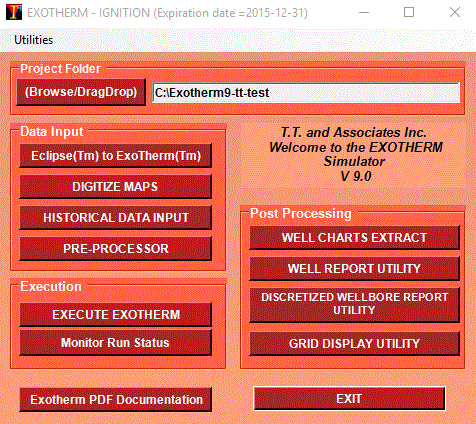
· Graphical User Interface. Point and click with mouse to select options from command buttons, drop down menus, and check boxes. · Full on-line PDF Help. Obtain detailed description of menu items for each displayed form. Search help file for topics or keywords. · Spreadsheet-type data entry forms with inline data cell editing. Edit functions such as copy and paste, fill down, fill right, and undo. · No more keywords or syntax problems. · Exchange data with other standard Microsoft WindowsTM applications. Cut and paste customized well summaries to word processors for reports. Copy tabular data to spreadsheet programs for enhanced manipulation and paste back. · Run the simulator in the background when other time critical tasks need to be done. Monitor flood fronts and performance of wells with post processing programs such as Grid Display, WellCharts and WellReport while the run is still processing. Stack up multiple cases to run at specific times for batch processing. · Output to any Microsoft WindowsTM supported printer or plotter (colour or b/w). |
|
· Radial and Cartesian Coordinates in 1, 2 and 3 dimensions. Local Grid Refinement. · Heat transfer in reservoir and over/under burden. · Fully Implicit K-value Compositional Formulation. Any component can exist in any phase. · Dual Porosity / Dual Permeability for Naturally Fractured Reservoirs. · Arbitrary Neighbour Connections. ·
Fast, user independent, iterative
sparse matrix solver. · Optional Nine Point Transmissibilities. · Metric or field units. · Optional calendar dates. · Multiple relative permeability sets. Temperature dependent end points. Areally variable fluid contacts, critical and residual saturations. Relative permeability hysteresis. · Vertical, inclined, or horizontal Wells. Optional source/sink or discretized well bores. Rigorous multiphase flow calculations, showing steam quality with time. · Simultaneous well constraints for oil, gas, water, liquid, and equivalent reservoir volume rates, flowing bottom hole pressure. · Gathering Centres for well grouping. Constraints for production, injection and steam-oil ratios. · Pressure and Temperature dependent porosities and transmissibilities. |
|
·
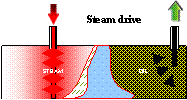
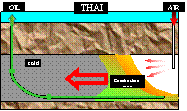
Thermal steam recovery processes ·
· Full Field, 3 dimensional simulation with multiple wells, pattern elements, or individual well performance predictions. · Horizontal well appraisal. · Transient discretized well bore simulations with multiphase pressure loss correlations. Wellbore design from well head to toe.
|
|
|
||

|
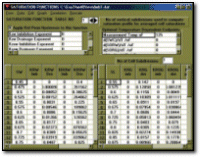
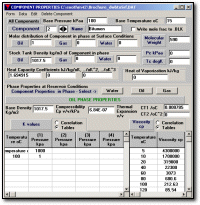
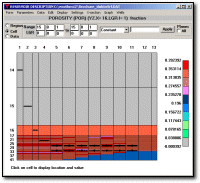
· Create, view and edit Data Sets with Graphical Interface with full Microsoft WindowsTM features (menus, tabular entry, mouse control, data exchange) · Full error checking. Display tabular values graphically. Optional calendar dates. · PVT properties entered in blackoil format or compositional. · Correlations for PVT and Saturation Functions. · Enter grid cell data directly or from digitized maps. · Interactively build grid over digitized maps. Rotate, stretch, move grid lines with mouse. Infill digitized layer maps to obtain grid cell values. · Modify grid cell values with edit functions (add, multiply, constant). Enter complex formulae to compute grid cell values from other grid cell values. · Colour cells with user palette. Obtain shaded contours of grid cell values. Superimpose digitized maps. Display xy, xz, yz cross-sections. · Discretized well bore data entry · Enter well production/injection data on a well by well basis, i.e. as you get it from a database · Only one well type necessary. The same well can be used for injection and production at different times.
|
Click on the picture for a larger view
|
|
|
Click on any picture for a larger view
|
|
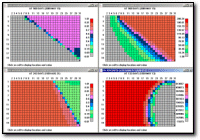
· View results of simulation. Display colour maps of grid cell values for: · Initial values of Porosity, Permeability, Depth, Thickness, Pore volumes, · Time dependent values of pressure; temperature, oil, gas and water saturations; three phase saturations simultaneously, and fluids in place. · Shaded contours of cell values. · XY, XZ, YZ cross-sections, automatic or user defined colour palettes and value ranges. · Locally refined grid cell values. Cross-sections of locally refined cells. · Display well locations and well names. · Zoom/ Unzoom option. · Cell value enquiry, text values displayed in cells in selected font. · Superimpose digitized maps over computed grid cell values. · Start and stop animation of cell values with time. · For user defined regions, display oil-in-place, average pressure, production rates and cumulatives, migration and percent recovery, temperature, heat injected and produced. · Graph cross-section values or cell values with time.
|
|
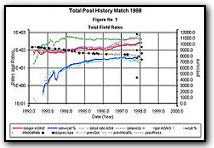
· Produces graphs of historical and/or forecast production and pressures using built in routines. · Select from over 30 series options. · Plot any series on X, left Y and right Y axes with appropriate scaling. · Plot as many as 30 series on a graph. · Additional customization built-in: annotate, change fonts, log or linear scales, automatic or custom linestyles and colours, tick marks, grid lines and more. · Compare many wells on same graph. · Compare several runs on one graph. · Group wells for a series. · Graph individual cell properties.
|
|
Click on any picture for a larger view
|
|
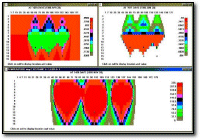
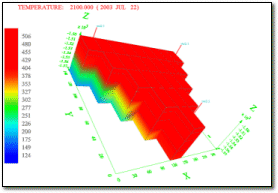
· Display 3-D views of the reservoir for parameters such as porosity, permeability, time dependent values of pressure, fluid saturations, fluid volumes in place. · Pan, rotate, zoom the 3-D views. Show multiple cross-sections and isosurfaces. Interrogate cell values. · Start, stop and resume animation of all the views. Show well locations as they are drilled. Make cells visible only if they are in a specified data range and animate with time. · Alter the 3-D view by cutouts, shifting, spreading out or separating layers or cross-sections. Apply clipping or change the visible range of layers or cross-sections. · Print or export image to bitmap files for import to other graphical programs.
|
|
· Customize well summary reports from simulation runs. · Choose from over 30 report items including injected or produced SOR, heat injected and produced, mixed wellbore conditions. · Create and save user defined tabular format. · Report by well for all times. · Report at any time for any or all wells. · Summaries for groups of wells, and field. · Change fonts and colours to suit user. · Print or copy and paste report to word-processor/spreadsheet etc.
|
|
· Exotherm is competitively priced based on the number of active grid cells. Purchase only the version that will fit your reservoir problems, and upgrade for the difference in price when necessary.
|
|
For more information, please contact: Thomas Tan, Ph.D, P.Eng. T.T. & Associates Inc.
We welcome your enquiries!
|