230 copies distributed!

Download the EXDOUS brochure

The EXODUS brochure in pdf. file format (will require Adobe Acrobat)


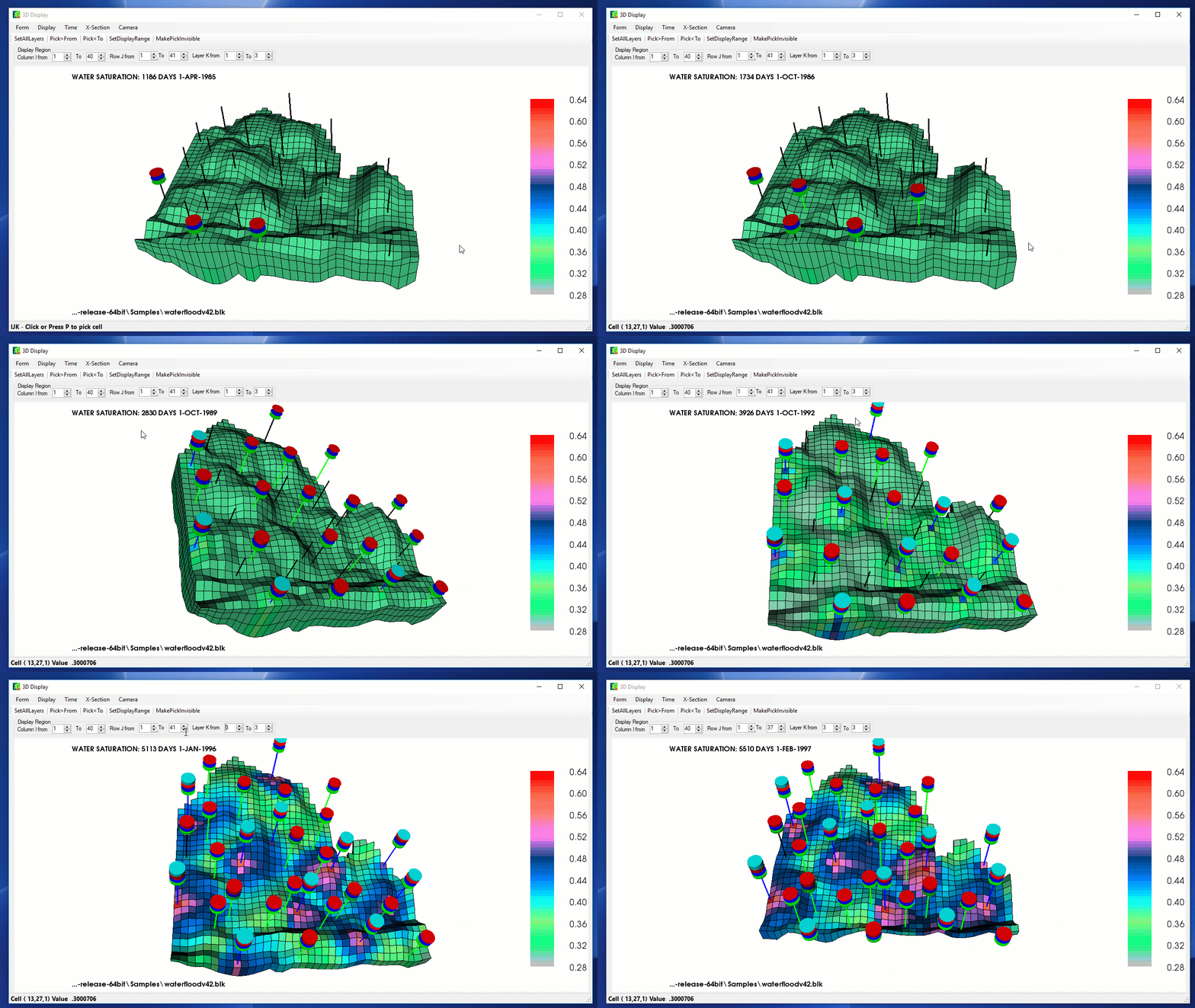
EXODUS 3-D Graphics

  Click on the picture for a full page view


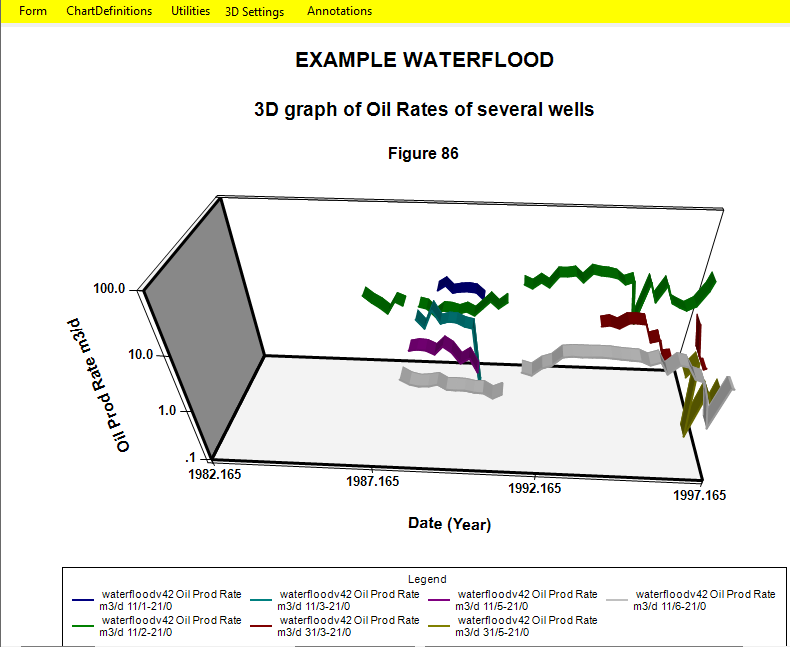
EXODUS 3-D Graphics

Click on the picture for a full page view


NEW FEATURE!

Find more information on our new Coal Bed Methane feature. 

download the .pdf brochure below

EXODUS .avi Screen Captures

Click on the picture for a full page view

NEW FEATURE!

Find more information on our new Frac Modeling feature. 

or download the .pdf brochure below


Ease of Use Features

Designed for use with the Microsoft WindowsTM operating system:

  • Graphical User Interface. Point and click with mouse to select options from command buttons, drop down menus, and check boxes.

  • Full On-line help. Obtain detailed description of menu items for each displayed form. Search Help file for topics or keywords. Print any book or selected topic.

  • Spreadsheet-type data entry forms with inline data cell editing. Edit functions such as copy and paste, fill down, fill right, and undo.

  • No more keywords or syntax problems.

  • Exchange data with other standard Microsoft WindowsTM applications. Cut and paste customized well summaries to word processors for reports. Copy tabular data to spreadsheet programs for enhanced manipulation and paste back.

  • Import hydraulic fracture transmissibilities from MFrac-III (Meyer & Associates, Inc.) to totally describe the variable fracture conductivity as a function of propped fracture dimensions and width.

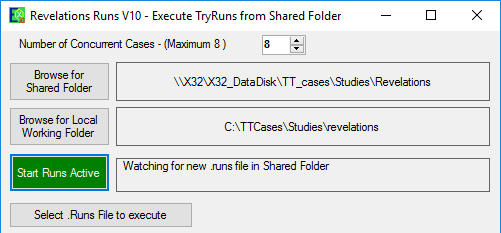
  • Run the simulator in the background when other time critical tasks need to be done. Monitor flood fronts and performance of wells with post processing programs such as Grid Display, Well Charts and Well Report while the run is still processing. Stack up multiple cases for batch processing.

  • Output to any Microsoft WindowsTM supported printer or plotter (colour or b/w).

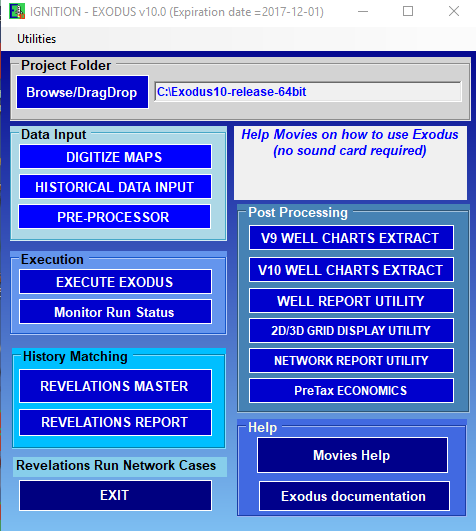
  • Lotus Screen CamTM movies for learning how to use Exodus.


Simulator Applications

  • Full Field, pattern elements, or individual well performance coning predictions.

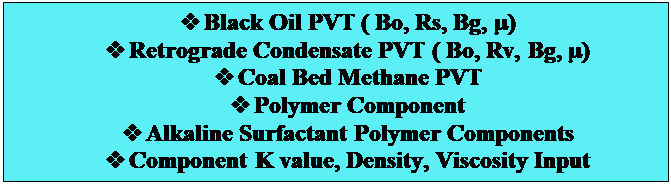
  • Black Oil, water flood and gas re-injection. Gas condensate reservoirs.

  • Coupled Surface Gas Gathering Network

  • Pseudo-miscible hydrocarbon recovery processes.

  • Polymer flood and tracer tracking.  Alkaline Surfactant polymer also available.

  • Transient Pressure Analysis.

  • Multizone Hydraulic Fracture Modelling 
    (Abstract of SPE 74361
    .pdf file)

  • Horizontal well appraisal

  • Enhanced coal bed methane appraisal 
    (Abstract of SPE 75672
    .pdf file)

  • Economic comparison of cases


Simulator Features

  • Radial and Cartesian Coordinates. Conne Point Geometry. Local Grid Refinement.

  • Fully Implicit Compositional Formulation.

  • Dual Porosity / Dual Permeability for Naturally Fractured Reservoirs.

  • Arbitrary Neighbour Connections.

  • Fast, user independent, iterative sparse matrix solver.

  • Optional Nine Point Transmissibilities.

  • Multiple relative permeability sets. Areally variable fluid contacts.

  • Carter Tracy Analytical Aquifer.

  • Vertical, inclined, or horizontal Wells.

  • Priortization of well locations for automatic workovers.

  • Simultaneous well constraints for oil, gas, water, liquid, and equivalent reservoir volume rates, flowing bottom hole pressure, and well head pressure.

.

  • Fully coupled multiphase pressure loss correlations for vertical wells.

  • Multiple well segments to well head. VFP tables also used.

  • Gathering Centres for well grouping. Constraints for production, injection, and voidage replacement for gas and water injection.

  • Surface Separator Options.

  • Metric or Field Units.

  • Optional calendar dates.

  • Time dependent permeability and porosity modification.

  • Any user defined historical series for comparison with simulation output

  • Import data from other selected simulation program.

  • Surface Gas Gathering network models one or more pipeline systems producing from one or more reservoirs.  Each network may have looped, parallel segments, compressors, chokes, multiple offtake points.


Pre-Processor

  • A graphical interface to create, view and edit Data Sets with full Microsoft Windows features (menus, tabular entry, mouse control, data exchange) and comprehensive error checking.

  • Display and modify tabular values in spreadsheet format.

  • Correlations for PVT and relative permeabilities. Automatic normalization/denormalization for scaling of end points.

  • Automatic generation of pattern models (single well, 5 /9 spot radial)

  • Enter grid cell data directly or from digitized maps.  Import digital maps from many other mapping programs.

  • Interactively build grid over digitized maps. Rotate, stretch, move grid lines with mouse. Infill digitized layer maps to obtain grid cell values.

  • Modify grid cell values with edit functions (add, multiply, constant). Enter complex formulae to compute grid cell values from other grid cell values with conditional statements.

  • Obtain cell values from well point values by interpolation methods.

  • Enter values by layer or as constant for all cells.

  • Group cells into facies region, for editing operations

  • Colour cells with user selected palette. Obtain shaded contours of grid cell values. Superimpose digitized maps. Display xy, xz, yz cross-sections.

  • Automatically compute and modify non-neighbour fault corrections and pinch out transmissibilities.

  • Locally refine grid cells with a couple of mouse clicks.

  • Automatically obtain total and partial well perforation locations from completion intervals, and well deviation surveys.

  • Enter well production/injection data on a well by well basis.

  • Import historical production values from commercial production history databases.

  • Built in aquifier influence functions.

  • Request simulator output at rate changes for DST modelling.

  • Synchronized 2D and 3D displays.


Click on the picture for a larger view

The EXODUS Pre-Processor

The EXODUS Pre-Processor

The EXODUS Pre-Processor


Click on any picture for a larger view


The EXODUS Grid Display Utility

The EXODUS Grid Dislay Utility

The EXODUS Grid Display Utility


Grid Display Utility

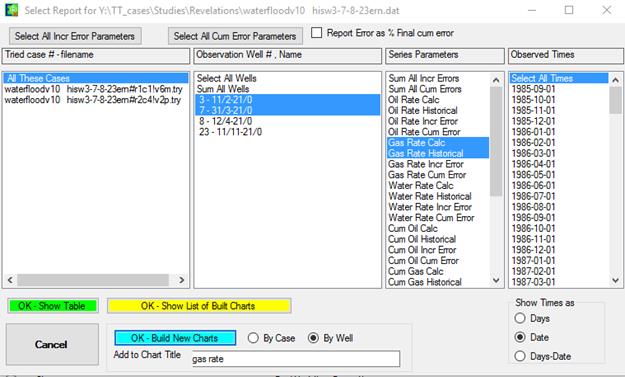
  • During or after a run, display colour maps of any grid cell values using automatic or user defined colour palettes and value ranges in multiple windows.

  • Compare multiple cases

  • Formulae to compute new display parameters

  • Display well charts simultaneously

  • Initial values of Porosity, Permeability, Depth, Thickness, Pore volumes,

  • Time dependent values of pressure; oil, gas and water saturations; ternary phase saturations; volumes of fluids-in-place; displaceable volumes of oil.

  • Shaded contours of cell values.

  • XY, XZ, YZ cross-sections. Group layer values into single zone values for display.

  • Locally refined grid cell values. Cross-sections of locally refined cells.

  • Display well locations and well names as a function of time.

  • Zoom/ Unzoom option.

  • Cell value enquiry, text values displayed in cells in selected font.

  • Export all values to spreadsheet.

  • Superimpose digitized maps over computed grid cell values.

  • Start and stop animation of cell values with time. User selectable time intervals.

  • For user defined regions, display oil-in-place, average pressure, production rates and cumulatives, migration and percent recovery.

  • Graph cross-section values or cell values with time.

  • Bubble maps for historical data overlay

  • Display migration statistics for OIP regions built either before or after the run.

  • Debugging aids to show where changes are needed in subsequent history matching runs.

  • Show multiple views of the same model, for different times/parameters and/or cross-sections (layers).

  • All these views can be manipulated, interrogated, printed or animated independently or synchronized.

  • Synchronized 2D and 3D displays.


Well Charts

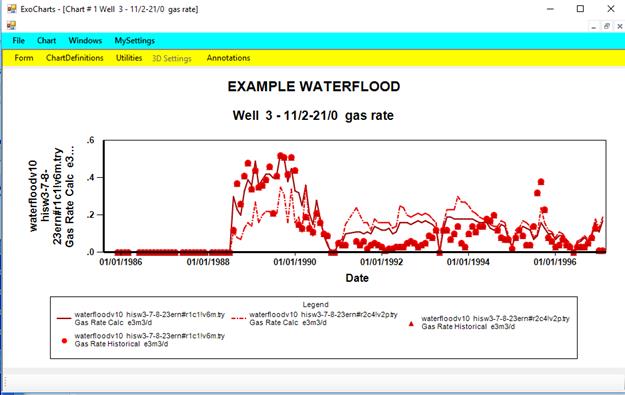
  • Produces graphs of well performance from simulation cases, production history data and pressure history, well automatic update as simulator.

  • Quickly generate graphs from standard default graph types.

  • Select from over 40 series options such as rates, ratios, cumulatives, well pressures, % recoveries.

  • User defined units for any series.

  • Compare simulated with historical values. Compare many wells on the same graph. Compare several runs on one graph. Group wells from a series.

  • Plot any series on X, left Y and right Y axes with appropriate scaling. Plot as many as 30 series on a graph.

  • Annotate, change fonts, log or linear scales, automatic or custom linestyles and colours, tick marks, grid lines.

  • Use the template facility to build graphs for all wells from one well graph.

  • Multiple charts display.


Click on any picture for a larger view

The EXODUS Well Charts

The EXODUS Well Charts


The EXODUS Well Charts


  3 Dimensional Visualization

  • Stereo visualization with additional eyeglass and graphics card hardware.

  • Display 3-D views of the reservoir for parameters such as porosity, permeability, time dependent values of pressure, fluid saturations, fluid volumes in place.

  • Pan, rotate, zoom the 3-D views. Show multiple cross-sections and isosurfaces. Interrogate cell values.

  • Clip layers, rows and columns.  Animate the clip to walk through the reservoir.

  • Start, stop and resume animation of all the views. Show well locations as they are drilled. Make cells visible only if they are in a specified data range and animate with time.  Useful with water coning animation.

  • Alter the 3-D view by cutouts, shifting, spreading out or separating layers or cross-sections. Apply clipping or change the visible range of layers or cross-sections.

  • Print or export image to bitmap files for import to other graphical programs.


Well Report Utility

  • Customize well summary reports from simulation runs.

  • Choose from over 40 report parameters.

  • User defined units for any report parameter.

  • Create and save user defined tabular format.

  • Report by well for all times and parameters.

  • Report at any time for any or all wells and parameters (by completion cell if desired).

  • Immediately graph current report. User definable placement of series on axes.

  • Summaries for groups of wells, and field.

  • Print or copy and paste report to a spreadsheet or word processor.

Network Report Utility

  • At each output, report on selected offtake points, nodes and segments.

  • Report on selected offtakes at selected times, the offtake pressure, rate and cumulative.

  • Report on selected nodes at selected times, the node pressure and node flux.

  • Report on selected segments at selected times, the segment pressures and rates, compressor horsepower.

  • Display a graphical view of the network system, coloured by node pressures or segment rate at any time and animate. Interrogate the node and segments.

Click on any picture for a larger view


Automatic History Matching Controller

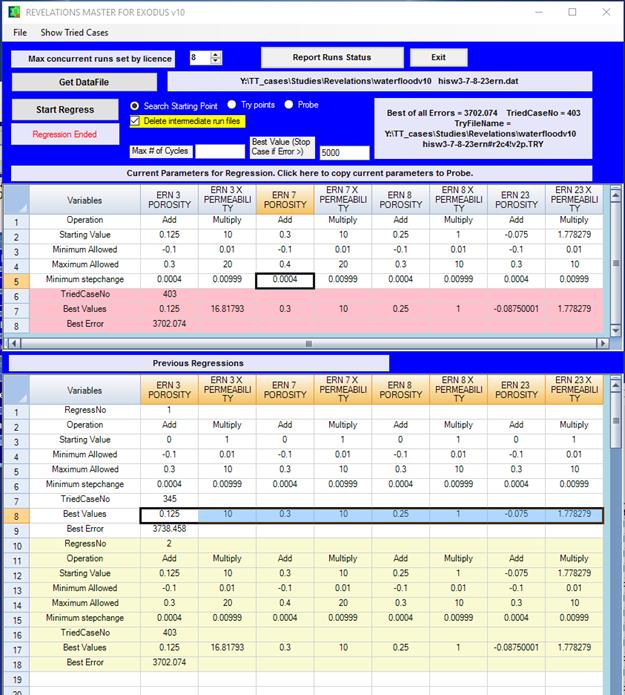
  • Non-linear regression analysis to find parameter values that will result in a reservoir description that will match field history.

  • Use porosity, directional permeability and relative permeabilities as parameters.

  • Define regions where parameters may be modified. Define parameter value as constant or factor of original values. Set minimum and maximum values for parameter changes.

  • Match observed pressures, GORs and WORs simultaneously.

  • Analyze reliability of estimated parameters.

  • Monitor progress of regression during run using Well Charts, Grid Display Utility, Well Report Utility.

Rapid History Matching

  • Use the Pre-processor to subdivide a full field reservoir into multiple sub-regions with a few mouse clicks. Run the full field model to save all necessary boundary conditions for the sub-regions. Run each of the sub-region models independently and history match by changing grid cell values in the sub-region model. Use Automatic History Matching if desired. Merge the sub-regions back to the full field model with a few clicks of Pre-Processor options. Repeat if necessary with different sub-regions. The sub-region models run in a fraction of the full field model time.


Fracture Modeling


  • 3D, 3-phase, multi-component reservoir simulator
  • Existing installed base - proven over last 12+ years to be numerically stable and accurate.
  • History matching of measured data a routine procedure.
  • Built-in NPV economic comparison capability.
  • Customized to meet needs of the Fracturing community.
  • User friendly. Import MFRAC™ frac geometry.
  • All modules included in package – no added costs.
  • Multiple Proppants – up to 5 per frac – either different proppant concentrations and/or proppant types.
  • Flexible segmented/tapered fracture geometry (width can vary along length AND height).
  • Embedment effects.
  • Non-Darcy flow (Beta factors).
  • Crushing/ Fines migration/ Fluid breakout (Damage factor).
  • Easy to get started.

Click on any picture below for a larger view


Requirements

Software:

  • Microsoft WindowsTM 98,  2000 and XP

Hardware:

  • Pentium based, 32 Mb RAM, 200 Mb HDD.
Price
  • Exodus is competitively priced based on the number of active grid cells. Purchase only the version that will fit your reservoir problems, and upgrade for the difference in price when necessary.


For more information, please contact:

Thomas Tan, Ph.D, P.Eng.

T.T. & Associates Inc.

c/o

Go back to the PetroStudies page


#204, 4603 Varsity Drive N.W.
Calgary, Alberta,
CANADA T3A 2V7
Phone : (403) 265-9722; Fax: (403) 265-8842
 

We welcome your questions and comments

tant@petrostudies.com
(tant@petrostudies.com)